Wifi and Connectivity in Sumba: Stay Reachable
Honest guide to Sumba wifi and connectivity: where signal works, where it drops, and how to stay reachable on and off the grid.
14 min read
Sumba wifi and connectivity are currently best described as “patchy but improving.” You can stay reachable in the main towns and most established resorts, but you should plan for regular offline gaps as you explore villages, beaches, and savanna in between.
On this page, we outline how internet in Sumba actually works today: where mobile signal is predictable, where it disappears, how resorts handle wifi, and how realistic it is to work remotely from the island. We also share practical steps for staying connected in Sumba without expecting big-city reliability.
1. The short answer: you can stay in touch, but not everywhere, not always
Sumba is still, in many ways, a frontier island. Road infrastructure, power, and telecom have improved steadily over the last decade, but they lag far behind Bali or Jakarta. Visitors who understand this enjoy their time more and avoid stressful surprises.
- What works reliably
- Voice calls and basic messaging in and around Waingapu and Waikabubak, plus at most mid- to upper-tier resorts.
- What is hit-and-miss
- Mobile data speeds, video calls, and wifi stability, especially during peak hours or storms.
- What often does not work
- Continuous coverage during long drives, at remote surf breaks, on little-visited beaches, and in traditional hilltop villages.
If your priority is staying connected in Sumba for work or family reasons, aim to be conservative: assume you will be offline for several hours at a time once you leave town hubs, and build your travel days around that.
2. Where Sumba wifi and connectivity are strongest
2.1 Town hubs: Waingapu and Waikabubak
Waingapu (in East Sumba) and Waikabubak (in West Sumba) are the main population and service centers. This is where mobile towers are densest, where you are most likely to find 4G coverage, and where most administrative offices, banks, and supermarkets cluster.
Practically, that means:
- Voice and SMS are usually straightforward within town limits.
- Messaging apps (WhatsApp, Telegram, Signal) generally work, though photos and large files may send slowly during busy evening hours.
- Light browsing and email are usually possible, but expect occasional drops and sluggish loading compared with major cities.
Cafés and simple guesthouses in town sometimes offer wifi, typically using the same consumer-grade connections available to local households. These are adequate for news, messaging, and simple work tasks, but they are not designed for heavy cloud use or HD video streaming.
For many visitors, town days become the natural “sync days”: catching up on email, updating apps, backing up photos, and downloading maps before heading back to quieter parts of the island.
2.2 Established resorts and lodges
Outside the towns, wifi access is largely resort-dependent. Mid- to upper-tier properties that are serious about international guests usually provide some form of wifi in public areas, and often in rooms or villas. The underlying connections are typically via local mobile networks or fixed-line services available in that sub-district.
Patterns we see across the island:
- Signal is usually better near reception and common spaces, where routers and signal repeaters are placed.
- Beachfront villas and hilltop bungalows may have weaker coverage inside, especially behind thick stone or concrete walls.
- Power cuts can interrupt connectivity; properties with reliable generators tend to restore wifi faster.
We encourage guests to treat resort wifi as a helpful complement, not as a replacement for their own mobile data. Where a resort is particularly connectivity-conscious, we flag this during planning calls and in our private notes for Sumba Private clients.
2.3 Airports and transit points
Waingapu’s Umbu Mehang Kunda Airport is the likeliest spot for “quick tasks” as you arrive or depart. Public wifi, when available, tends to be adequate for messaging and email but not for large downloads. Mobile reception around the airport is generally decent, which can be helpful for confirming transfers or meeting drivers.
Other small airstrips or rural bus terminals are less reliable for connectivity. Treat them as transit points, not operational hubs.
3. Where mobile signal in Sumba drops out
3.1 Remote east and west coastal stretches
Once you leave Waingapu to the east or Waikabubak to the west, coverage typically thins out. Roadside villages may have patchy signal, often limited to particular corners of the village or one hillside where locals naturally cluster to make calls.
Areas where disconnections are common include:
- Long coastal drives between beach areas, especially where the road drops behind limestone cliffs or crosses wide savanna.
- Headlands and capes used mainly by local fishermen, with limited permanent housing and therefore limited incentive for tower construction.
- Minor access roads leading to more isolated surf spots or bays visited only by a few vehicles per day.
If you are planning day trips that string together several remote beaches or viewpoints, assume that you may be offline for large parts of the day and reconnect only once you return closer to town or to your resort.
3.2 Traditional villages and highland interiors
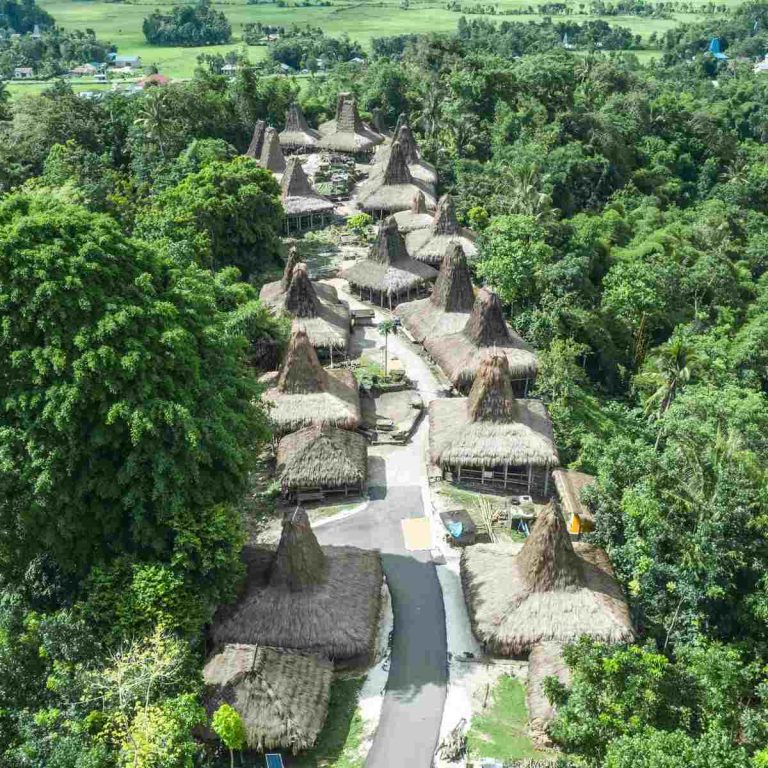
Sumba’s traditional hilltop villages were historically built for defense and for connection to ancestral sites, not for line-of-sight to mobile towers. Many are surrounded by stone tombs and megalithic structures and sit in shallow basins or on ridges away from modern infrastructure.
In practice:
- Some villages have a narrow patch of reception near a particular tree, rock, or road junction; locals will know these spots.
- Others have no usable signal inside the village core, and you may need to walk back toward the main road for a bar or two.
- Speeds are often too slow for anything beyond simple messaging, especially in the late afternoon when many residents also use the network.
We encourage guests to treat these offline windows as part of the experience: time to be fully present with hosts and elders without the distraction of screens or notifications.
3.3 At sea and on remote islands
Boat trips, snorkel excursions, and journeys to small nearby islands offer some of Sumba’s most peaceful moments — and often the weakest connectivity. Once you are a few hundred meters off the main island, signal strength tends to fall off rapidly, especially if you are behind a headland.
Captains and crew usually rely on voice calls and radio in combination. As a guest, you should expect to be offline for most of a sea day, reconnecting only as you return to shore and line-of-sight to towers.
4. Local SIM and eSIM basics for Sumba
4.1 Should you get a local SIM for Sumba?
For most international travelers, a local Indonesian SIM card is the most practical way to improve mobile signal in Sumba and manage costs. Roaming from foreign carriers can be expensive and may attach you to partner networks that are less robust on the island.
A local SIM or eSIM typically offers:
- Better local coverage than roaming, especially if you choose a major national carrier.
- Cheaper data for mapping, messaging, and light browsing compared with international roaming rates.
- A local number for contacting drivers, guides, or hotels directly.
However, it does not change the underlying reality: if an area has no tower coverage, no SIM will give you signal there. A local SIM improves your chances in marginal zones and reduces cost; it does not turn Sumba into a fully connected island.
4.2 Where and how to purchase a SIM
Most guests choose one of two options:
- Purchase an Indonesian SIM upon arrival in a major hub such as Bali or Jakarta, then fly onward to Sumba with the SIM already activated.
- Buy a SIM in Waingapu or Waikabubak at a small phone shop, minimarket, or roadside kiosk that sells starter packs.
For SIMs bought in Indonesia, you must register them with your passport or national ID. Shop staff are usually familiar with the process and can assist with activation, but the interface and SMS prompts are typically in Indonesian. Patience helps; so does having your passport and some small local currency ready.
We advise guests to:
- Arrive with an unlocked phone that can accept local SIMs.
- Check in advance that your device supports the Indonesian frequency bands used by major carriers.
- Screenshot any important contact details and booking confirmations before swapping SIMs, in case something goes wrong during activation.
4.3 eSIMs for Sumba
Several international providers sell Indonesian eSIM packages that can be installed before you depart home. These offer convenience and avoid the need to handle small plastic SIM cards, but coverage in Sumba depends entirely on which local carrier network they ride on.
Before purchasing an eSIM marketed for “Indonesia,” we recommend:
- Checking whether it explicitly covers outlying islands, not just Java, Bali, or Lombok.
- Choosing options that mention partnering with major national carriers rather than niche or region-specific networks.
- Accepting that eSIMs may offer excellent value in Bali yet still be patchy in Sumba.
If you would like a second opinion on a specific eSIM product for use in Sumba, you can share the details when you plan your trip with us via email or WhatsApp; we are happy to give an honest view based on where you intend to travel on the island.
5. Working remotely from Sumba: realistic expectations
We are often asked whether Sumba can support several days or weeks of remote work. The truthful answer is: it depends heavily on the nature of your work, your tolerance for interruption, and your chosen base.
5.1 What usually works for remote professionals
For guests based at connectivity-conscious resorts or in town, the following are generally feasible:
- Email and cloud documents with modest file sizes.
- Chat tools such as Slack or Microsoft Teams, with occasional short voice calls.
- Scheduling or text-based tasks such as writing, reviewing proposals, or preparing presentations offline and syncing periodically.
Many guests adopt a rhythm of heavier online tasks in mornings or late evenings, when fewer users share the network, and offline deep work during the day.
5.2 What is challenging or risky
Certain work patterns are more vulnerable to Sumba’s current connectivity:
- Live video calls (Zoom, Google Meet, Teams) longer than 20–30 minutes, especially with multiple participants.
- Large uploads such as high-resolution video, raw photos, or software builds pushed to remote servers.
- Mission-critical trading, medical, or real-time control systems requiring continuous, low-latency connections.
Drops are most likely during heavy rain, localised power cuts, or at peak usage times. If your work cannot tolerate an unexpected disconnect, Sumba is best treated as a short digital-light interlude rather than a primary remote office.
5.3 Tips if you must work from Sumba
- Choose your base carefully. Prioritise properties with a track record of hosting working guests. Through Sumba Private we can privately flag options that have shown the most consistent connectivity for past clients.
- Carry a backup connection. Use resort wifi as your primary line and a local-SIM hotspot as failover, or vice versa.
- Schedule critical calls from town. If you have an unmovable board call or client presentation, plan to be in Waingapu or Waikabubak that day, with extra time to relocate if one spot underperforms.
- Communicate constraints upfront. Let colleagues know you are working from a remote island; build in buffers and alternate channels such as phone-only dial-ins.
6. Download-before-you-go: maps, docs, and essentials
Because staying connected in Sumba is intermittent, the most practical preparation you can make is to assume you will be offline more often than not and to pre-load what you need.
6.1 Maps and navigation
- Download offline map areas for all regions you plan to visit, including the drives between them, using your preferred mapping app.
- Star or save key locations such as airports, villages, viewpoints, and your accommodations, so they are visible even without search.
- Screenshots as backup. Take screenshots of route overviews and turn-by-turn directions for complex drives, in case GPS behaves unpredictably amid hills or narrow valleys.
If you work with a local driver, they will usually know the way without maps, but having offline navigation still helps you understand timing and orientation.
6.2 Travel documents and logistics
- Download all booking confirmations (flights, hotels, transfers) as PDFs or offline files, not just saved in your email.
- Save contact numbers for hotels, guides, and drivers in your phone’s address book; do not rely on finding them in email at the last minute.
- Keep a simple printed summary of key dates, addresses, and emergency contacts. Sumba is one of the few places where paper still outperforms pixels in a pinch.
6.3 Entertainment and work resources
- Pre-download reading, music, and podcasts before arriving on the island, especially if you have long drives in your itinerary.
- Sync offline work folders for any documents you may need to access while on the road or in areas with weaker wifi.
- Set apps to manual updates to avoid them consuming limited bandwidth at inconvenient times.
7. Connectivity versus other on-island essentials
Connectivity is only one practical pillar of a Sumba trip. It often intersects with two others: cash access and packing choices. Both can help you manage low-connectivity situations more comfortably.
| Topic | Why it matters for connectivity | Where to learn more |
|---|---|---|
| Cash & ATMs | Card terminals may fail during network outages; cash is critical in remote areas with no signal. | Sumba ATMs & cash guide |
| Packing | Power banks, multi-port chargers, and dry bags help during long, offline days and boat trips. | What to pack for Sumba |
| Getting there | Flight delays or changes may be easier to handle if you understand which airports have better wifi. | How to get to Sumba |
These practicalities reinforce one another: a charged phone, downloaded maps, and enough cash in hand make low-signal moments far less stressful.
8. How we think about connectivity as trip curators
As a neutral curator and concierge-intelligence service, we pay attention to connectivity not because we want to sell you data packages, but because Sumba is still an island where logistics can define the quality of your experience.
For each itinerary we help shape, we quietly map connectivity considerations:
- Which nights are in high-signal areas (towns, stronger-resort wifi) versus low-signal stretches.
- When guests might need to check in with family, offices, or time-sensitive commitments.
- Which properties have historically delivered better connectivity for our clients, and which are better treated as intentional offline retreats.
No one can pay to change what we publish; if you proceed with our partner they may pay us a referral fee at no extra cost to you. That independence matters especially for details such as wifi, which are easy to exaggerate in marketing copy but immediately noticeable in person.
If connectivity is a significant concern for you — for example, due to caregiving responsibilities or time-sensitive projects — you can tell us as much or as little as you wish when you plan your trip. We often coordinate via WhatsApp for convenience, and we use those conversations to fine-tune the rhythm of your online and offline days.
Is there 5G in Sumba?
As of our latest checks, Sumba’s coverage is still largely 3G and 4G, with no consistent island-wide 5G service. Even 4G speeds vary widely by location and time of day, so it is better to plan for modest performance than to rely on high-speed data.
Can I rely on hotel wifi for video calls?
In town and at certain higher-end resorts, short one-on-one video calls may be possible during off-peak hours, but there is always a risk of drops or freezes. If a call is critical, we suggest scheduling it on a day and at a time when you can test the connection in advance and have a phone-only backup option.
Do I need a physical SIM, or is an eSIM enough for Sumba?
Both can work. Many guests find an Indonesian eSIM convenient for Bali and Java, then add a local physical SIM as a backup once in Sumba. The key is less the format and more which local network your plan uses. Having two separate ways to connect gives you more resilience when coverage is patchy.
Will my international roaming be good enough in Sumba?
Roaming often works in and around Waingapu and Waikabubak, but may attach you to networks that are less robust in rural areas, and costs can add up quickly for data. For longer stays or data-heavy use, we recommend a local SIM or eSIM, with roaming left on only as an emergency fallback.
How do I contact emergency services if there is no signal?
If you are travelling with a local driver or guide, they will typically know where the nearest signal spots are along your route. In very remote areas, the practical safety net is usually your local host’s familiarity with the terrain and neighbouring communities rather than formal emergency hotlines. If this is a concern, mention it during pre-trip planning so we can help align your route and support accordingly via plan your trip conversations on email or WhatsApp.